
SimScale Alternatives for Engineers: Best Options


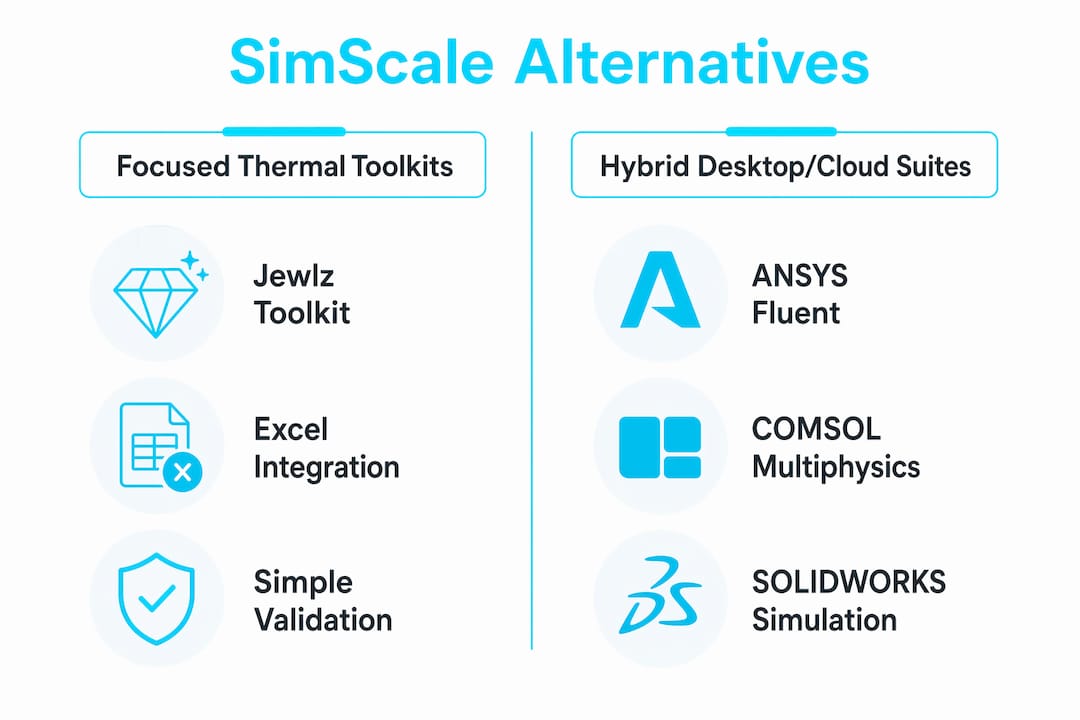
If you’re evaluating SimScale alternatives, the short answer is this: the right substitute depends on which physics you need and how much control you want over your data. Three categories cover most engineering teams. Lean thermal toolkits (like the Jewlz Thermalysis Toolkit) wins for focused conduction, convection, and radiation work where IP security and fast iteration matter. Hybrid desktop/cloud CAE suites like ANSYS Fluent, COMSOL Multiphysics, SOLIDWORKS Simulation, and Autodesk CFD cover broader multiphysics needs with flexible deployment. Open-source stacks like OpenFOAM give you full solver control at zero license cost, but you pay in setup time and expertise.
The best SimScale alternatives by category:
Lean thermal toolkits: Jewlz Thermalysis Toolkit. Best for thermal-led projects, regulated IP environments, and teams that need repeatable results without cloud dependency.
Hybrid desktop/cloud CAE suites: ANSYS Fluent, COMSOL Multiphysics, SOLIDWORKS Simulation, Autodesk CFD, MathWorks MATLAB/Simulink. Best when you need broad physics coverage, HPC scalability, or deep CAD integration.
Open-source stacks: OpenFOAM. Best for budget-constrained teams with strong CFD expertise and tolerance for manual configuration.
No single tool matches SimScale’s exact combination of cloud-native convenience and full physics breadth. Engineers choose based on discipline fit and data-control requirements.
Table of Contents
Which SimScale alternatives should you compare first?
The table below maps each option across the dimensions that actually drive purchase decisions: physics scope, deployment, licensing, security posture, and US support availability.

Tool | Best for / primary use case | Physics supported | Platform | License model | Learning curve | Data security | Scalability / HPC | CAD & workflow integrations | US availability & support |
Jewlz Thermalysis Toolkit | Focused thermal: conduction, convection, radiation, pressure vessels | Thermal, pressure vessel | Desktop (Excel-based download) | Subscription (monthly) | Low to moderate | Full local control, no cloud dependency | Single-workstation; fast for routine thermal checks | Excel-native; integrates into existing spreadsheet workflows | Yes — Jewlztech US-based |
ANSYS Fluent / ANSYS Simulation | Advanced CFD, structural, multiphysics | CFD, FEA, thermal, electromagnetics | Desktop / HPC / cloud hybrid | Perpetual + subscription; enterprise | Steep | On-prem or private cloud options | High — full HPC cluster support | CATIA, SolidWorks, SpaceClaim, SCDM | Yes — full US support & services |
COMSOL Multiphysics | Coupled multiphysics, academic research | CFD, FEA, thermal, chemical, RF | Desktop / server / cloud | Perpetual + add-on modules | Steep | On-prem; server deployment available | Moderate to high | SolidWorks, AutoCAD, CATIA, LiveLink | Yes — US offices and support |
SOLIDWORKS Simulation | Mechanical FEA, thermal, flow for CAD users | FEA, CFD (Flow Simulation), thermal | Desktop (cloud via 3DEXPERIENCE) | Subscription / perpetual | Moderate | On-prem; optional cloud | Moderate | Native SolidWorks integration | Yes — extensive US reseller network |
Autodesk CFD | HVAC, electronics cooling, product design CFD | CFD, thermal | Cloud / desktop hybrid | Subscription | Moderate | Autodesk cloud-hosted | Moderate | Inventor, Revit | Yes — Autodesk US support |
MathWorks MATLAB / Simulink | System-level modeling, control, signal processing | Thermal (toolboxes), FEA (PDE Toolbox), system simulation | Desktop / cloud | Subscription / perpetual | Moderate to steep | On-prem or MathWorks cloud | Moderate | Simulink, CAD via toolboxes | Yes — US-based MathWorks HQ |
OpenFOAM | External aerodynamics, research CFD, custom solvers | CFD, thermal, structural (via extensions) | Desktop / HPC (Linux-native) | Free / open-source (GPL) | Steep | Full local control | Very high with HPC clusters | Paraview, Salome, FreeCAD | Yes — community + commercial support options |
Three quick callouts:
Free and open-source: OpenFOAM carries no license cost. Academic or free tiers also exist for SimScale’s academic program and some ANSYS and COMSOL student editions.
Trial tiers: ANSYS, COMSOL, SOLIDWORKS, and Autodesk CFD all offer limited trials or student licenses. The Jewlz Thermalysis Toolkit offers free engineering tools as a starting point.
Data security trade-off: Cloud-based platforms are fast to onboard but place your simulation data on vendor-managed servers. For defense, medical device, or proprietary thermal designs, a downloadable local toolkit eliminates that exposure entirely.
Detailed profiles: what each alternative actually offers
Lean thermal toolkits: Jewlz Thermalysis Toolkit
The Jewlz Thermalysis Toolkit is purpose-built for engineers who run thermal analysis repeatedly and need results they can audit, share, and defend. It handles conduction, convection, and radiation across a wide temperature range, with variable material properties and a built-in property database that cuts the lookup friction that slows general-purpose cloud solvers. Delivery is Excel-based, which means it drops into existing engineering workflows without introducing a new software environment.
Strengths:
Full local data control; no vendor-hosted cloud dependency
Built-in material property database reduces validation friction for thermal studies
Covers pressure vessel simulation alongside heat transfer modes
Monthly subscription keeps costs predictable; no perpetual license commitment required
Low barrier to entry for engineers already working in Excel
Typical users: Thermal engineers, HVAC designers, electronics cooling specialists, pressure vessel analysts, and engineering students doing coursework or capstone projects.
Limitations: Not a general-purpose CFD or structural FEA solver. External aerodynamics or complex fluid dynamics require a separate tool.
Integration: Excel-native. Outputs slot directly into reports and design documentation.
Hybrid desktop/cloud CAE suites
This category covers ANSYS Fluent, COMSOL Multiphysics, SOLIDWORKS Simulation, and Autodesk CFD. Each offers broader physics coverage than a focused toolkit, with varying degrees of cloud access layered on top of a desktop core.
ANSYS Fluent is the industry benchmark for high-fidelity CFD and coupled multiphysics. It handles turbulence modeling, combustion, and structural coupling at a level few tools match. The tradeoff is cost and complexity: enterprise licensing is expensive, and the learning curve is real. For teams already in the ANSYS ecosystem, the ANSYS alternatives guide on the Jewlztech blog covers the trade-offs in detail.

COMSOL Multiphysics excels at tightly coupled physics, particularly in academic and R&D settings where you need to combine heat transfer, fluid flow, and structural mechanics in a single model. Its module-based licensing lets you pay only for the physics you use, though costs add up quickly. The COMSOL alternatives comparison is worth a read if you’re weighing it against lighter options.
SOLIDWORKS Simulation is the natural choice for mechanical engineers already working in SolidWorks. The CAD integration is seamless, and Flow Simulation handles most product-level CFD needs. It’s not the tool for external aerodynamics or research-grade turbulence, but for product design thermal and structural checks, it’s hard to beat for speed.
Autodesk CFD targets HVAC engineers, electronics cooling teams, and product designers who live in the Autodesk ecosystem. Its cloud-first architecture mirrors SimScale’s convenience, which makes it the closest like-for-like substitute for teams that valued SimScale’s browser-based workflow. For data-center thermal work specifically, the data center CFD alternatives resource covers relevant options.
Common limitations across this category: Subscription costs can be significant at the enterprise level. Cloud-hosted variants share SimScale’s data-residency concerns. Most require meaningful onboarding time.
Pro tip on pricing: ANSYS and COMSOL both offer academic licensing at steep discounts. If you’re a student or researcher, those programs are worth pursuing before committing to a commercial seat.
Open-source stacks: OpenFOAM
OpenFOAM is the go-to for engineers who need full solver transparency, custom physics implementations, or HPC-scale CFD without license costs. It runs natively on Linux, scales across clusters, and has an active global community. Open-source CFD stacks remain the most budget-friendly option, but they require a larger upfront investment in setup and expertise compared with cloud SaaS solutions.
Strengths:
Zero license cost; full source code access
Scales to very large models on HPC clusters
Extensive community documentation and validation cases
Full local data control
Limitations:
Steep learning curve; meshing and solver configuration take significant engineering time
No GUI by default (though third-party tools like Salome and ParaView help)
Support is community-driven unless you pay for a commercial support contract
Pro tip on OpenFOAM setup: Budget engineering time explicitly for meshing strategy and solver tuning. The per-case setup cost is often the hidden time sink that surprises teams switching from SaaS platforms optimized for fast runs.
MathWorks MATLAB/Simulink
MATLAB sits in a different category from the others: it’s a system-level modeling and scripting environment, not a dedicated CFD or FEA solver. For thermal analysis, the Heat Transfer Toolbox and PDE Toolbox cover a useful range of problems. Simulink adds dynamic system simulation. Where MATLAB earns its place is in automated workflows, control system integration, and post-processing pipelines where you need scripting flexibility that dedicated CAE tools don’t offer.
How to choose the right SimScale alternative for your project
Work through this checklist before you commit to a trial or a purchase:
Define your primary physics. CFD-heavy external flow? ANSYS Fluent or OpenFOAM. Thermal and pressure vessel? Jewlz Thermalysis Toolkit. Coupled multiphysics research? COMSOL. Product-level structural and thermal? SOLIDWORKS Simulation.
Assess model size and scale. Large-scale HPC runs favor ANSYS or OpenFOAM. Routine thermal checks don’t need that infrastructure.
Check your IP and data rules. If your organization has data-residency requirements or handles export-controlled designs, a local desktop tool is the safer default. Cloud-based simulation tools are convenient, but vendor-hosted data is a real concern for sensitive projects.
Set a realistic budget. Include license costs, training, and support contracts. Open-source is free to license but not free to operate.
Evaluate CAD and workflow integration. CAD integration and API/scripting support are consistently cited as top decision criteria when teams plan to automate simulation workflows.
Gauge your team’s skill level. ANSYS and COMSOL reward deep expertise. Excel-based toolkits are accessible to engineers at any level.
Confirm validation requirements. Regulated industries need documented solver validation. Ask vendors for published benchmarks or peer-reviewed validation papers.
Check US vendor support. All tools in this article have US availability, but response times and professional services depth vary significantly.
Questions to ask vendors before signing:
Where does my simulation data reside, and who can access it?
What validation documentation exists for the solver I’ll use?
What are the SLAs for technical support, and is US-based support included?
Can I run a pilot on a real project before committing?
Red flags to watch for:
Vague answers on data residency or security certifications
No published validation benchmarks for your physics domain
Trial environments that don’t reflect production solver performance
Licensing structures that lock you into annual minimums before you’ve validated fit
Pro Tip: Run a pilot on a real project, not a toy benchmark. Pick a problem you’ve already solved by hand or with a trusted tool, then reproduce it in the candidate platform. The delta between expected and computed results tells you more than any vendor demo.
When does a focused thermal toolkit beat a full CAE suite?
The honest answer: more often than most engineers expect. Full CAE suites are powerful, but that power comes with overhead. License costs, training time, solver configuration, and cloud data exposure all add up. For teams running repetitive thermal checks, quick design iterations, or working in regulated IP environments, a focused toolkit often delivers faster, more auditable results.
Teams handling sensitive thermal and pressure-vessel projects frequently prefer local toolkits to retain full control over IP and data security. That preference shows up consistently across product-comparison discussions and user reviews. When your simulation inputs include proprietary material formulations, defense-adjacent geometries, or unreleased product designs, keeping that data on a local workstation isn’t just convenient. It’s often a compliance requirement.
Focused toolkits also reduce the validation burden. A built-in material property database means you’re not hunting down thermal conductivity values from separate sources and manually entering them into a general-purpose solver. The Jewlz Thermalysis Toolkit handles this natively, covering conduction, convection, and radiation with properties already loaded. For engineers doing heat transfer analysis, that alone cuts meaningful time from each analysis cycle.
Pro Tip: Validate your toolkit results against a known analytical solution or a published benchmark before using them in a design decision. For thermal problems, the ASHRAE Handbook and ASME standards both provide reference cases. A one-time validation run gives you a defensible audit trail for the life of the project.
The case for a full CAE suite is still real: external aerodynamics, combustion, coupled structural-thermal problems at scale, and research-grade turbulence modeling all need the horsepower that ANSYS or COMSOL provides. The mistake is defaulting to a full suite for every problem when a focused toolkit handles 80% of your thermal workload faster and cheaper.
Key Takeaways
No single SimScale substitute wins across every use case. Match the tool to the physics, the data-security requirement, and the team’s skill level before committing.
Point | Details |
Match tool to physics first | CFD-heavy work needs ANSYS or OpenFOAM; thermal and pressure-vessel work fits a focused toolkit. |
Local tools win on data control | Cloud platforms are convenient but place simulation data on vendor servers, a real concern for sensitive projects. |
Open-source has hidden costs | OpenFOAM is free to license but demands significant engineering time for setup, meshing, and solver configuration. |
Trial on a real project | Run a pilot using a problem you’ve already solved; vendor demos don’t reveal solver fit or workflow friction. |
Jewlz Thermalysis Toolkit | The recommended fast path for thermal-led projects: local data control, built-in property database, Excel-native delivery. |
Why this article weights focused toolkits and hybrid workflows
Most SimScale comparison articles default to listing the biggest commercial suites and calling it a day. That framing works if you’re running external aerodynamics at scale. It misses a large share of the engineering population: thermal analysts, pressure vessel engineers, and product designers who need fast, auditable results on a predictable budget, not a full multiphysics environment.
The editorial weight here reflects that reality. Hybrid desktop/cloud suites like ANSYS and COMSOL belong in the comparison because they’re genuinely capable and widely used. But for teams where the primary physics is thermal, where data security is a constraint, or where cost predictability matters, a focused toolkit is the more honest recommendation. A full CAE suite is still the right call for complex coupled problems, high-fidelity turbulence, or research that demands solver transparency at the code level. The article says so plainly. The goal was to give engineers a framework that matches tool to problem, not to rank tools by brand recognition.
The Jewlz Thermalysis Toolkit: thermal analysis without the overhead
Most engineers evaluating SimScale alternatives are looking for one of two things: broader physics coverage or a simpler, more controlled path for thermal work. If it’s the latter, the Jewlz Thermalysis Toolkit is built for exactly that.
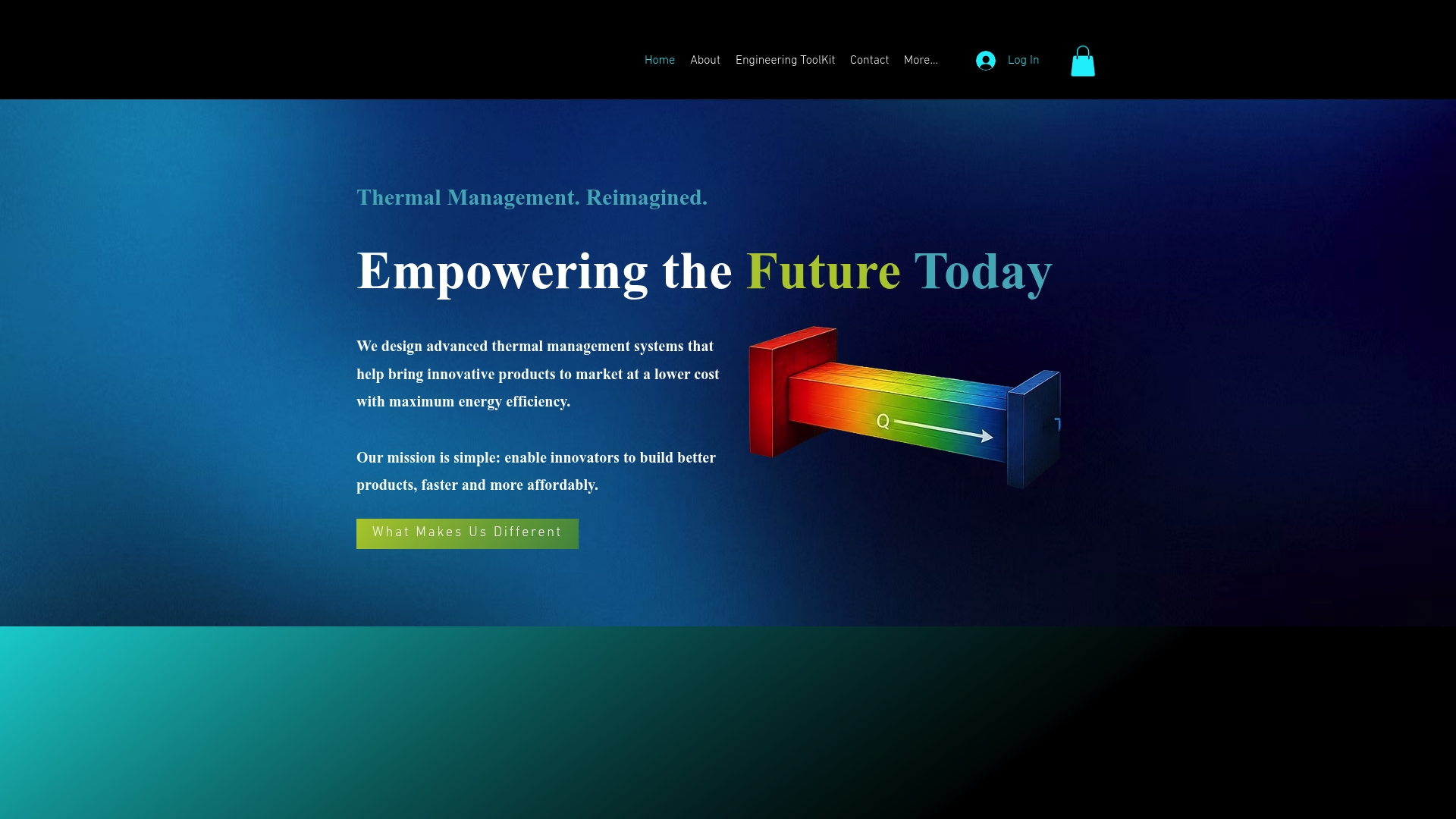
The toolkit covers conduction, convection, and radiation analysis with variable material properties, a wide temperature range, and a built-in property database. It’s delivered as a downloadable Excel-based tool, which means no cloud dependency, no vendor data access, and no new software environment to learn. Pressure vessel simulation is included alongside the heat transfer modes. The monthly subscription keeps costs predictable, and free engineering tools are available on the Jewlztech site to get started before committing to a paid plan.
For thermal engineers, HVAC designers, electronics cooling specialists, and engineering students, it’s the fastest path from problem to defensible result. Visit the product page to see the full feature list and start a free trial.
Useful sources and further reading
These resources support deeper research on the tools and topics covered above.
Jewlztech blog: Covers Excel-based thermal toolkits, CFD comparisons, and engineering software guides across multiple disciplines.
Pressure vessel design software alternatives: Detailed comparison of software options for pressure vessel simulation and analysis workflows.
Engineering software for students: Covers free tiers, academic licensing, and accessible tools for coursework and research projects.
Thermal management for EV batteries: Deep-dive on thermal simulation workflows for electronics and battery applications.
Material database via MachinaCalc: Property lookup tool for verifying thermal conductivity, specific heat, and other values used in simulation inputs.
CAD viewer via MachinaCalc: Lightweight geometry inspection before committing to a full simulation run.
G2: SimScale alternatives: User reviews and ratings for SimScale and its top-cited alternatives, useful for community sentiment and real-world use cases.
Reddit CFD community: Practitioner discussion on alternative CFD software, including OpenFOAM setup experiences and commercial tool comparisons.
Recommended
Comments